
How to Pay
Choose a payment method below to complete your order.
Three payment methods currently available
Important Notice
For Wise or Zelle transfers, the sender covers any transfer fees. Your order is considered paid only when we receive the full order amount.
For example: If an order paid by transfer totals $1000, please ensure we receive exactly $1000 (you may need to pay additional transfer fees).
Contact Us
If you have any payment questions, reach out via any of the channels below.
WISE (International Transfer)
Worldwide customers can pay via Wise international transfer.
- 418779124@qq.com
- Alipay ID
- 418779124@qq.com
- Last Name
- ZHANG
- First Name
- ZHENG
- Country
- CHINA
- City
- ChengDu
- Address
- Floor 8, Block B, Building 3, Zone F, Tianfu Software Park, High-tech Zone, Chengdu, Sichuan
- Postal Code
- 610046
Wise transfer guide
Follow the screenshots in order. Use your order total and the recipient details above when sending your transfer.
Step 1 / 7
Tap Send
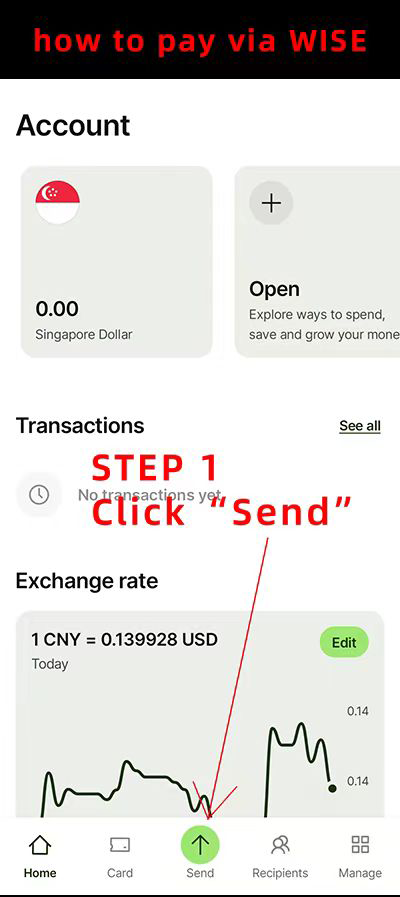
Amounts and exchange rates in the screenshots are examples. The Wise interface may change over time.
US Bank Transfer (Zelle)
US customers can also pay via Zelle / bank transfer.
- Recipient
- YU-LI KUO
- Bank Transfer Address
- 9375 Viscount Blvd. #822, El Paso, TX 79925
- TEL
- 915-873-4156
Scan the QR code with your bank's app to send payment via Zelle.
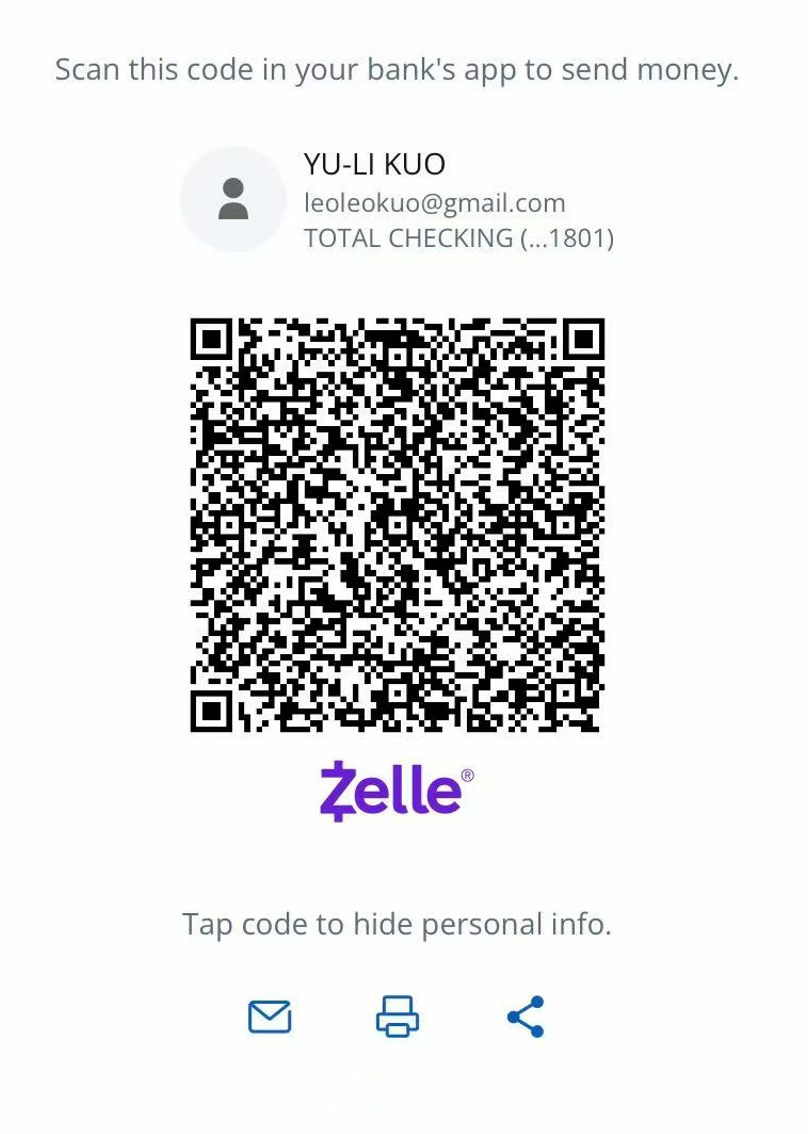
Tap code to hide personal info.
Stripe
Contact us for a dedicated Stripe payment link.
Contact us with your order details first. We will create and send you a dedicated Stripe payment link. Check the order amount on the link before paying.